Programming your atmega34u4. This is optional this should allready be programmed because of testing and quality control. But if you want to ensure security go ahead.
Programming Bootloader
Bootloading is optional this has already been done but if you want to ensure security you are free to do so.
Follow the following steps to program the bootloader:
Connect the Edge Connect cable to the Crypsis and breakout like below.
Make sure the arrow on the edge connect is on the male side and the red wire is on the bottom.
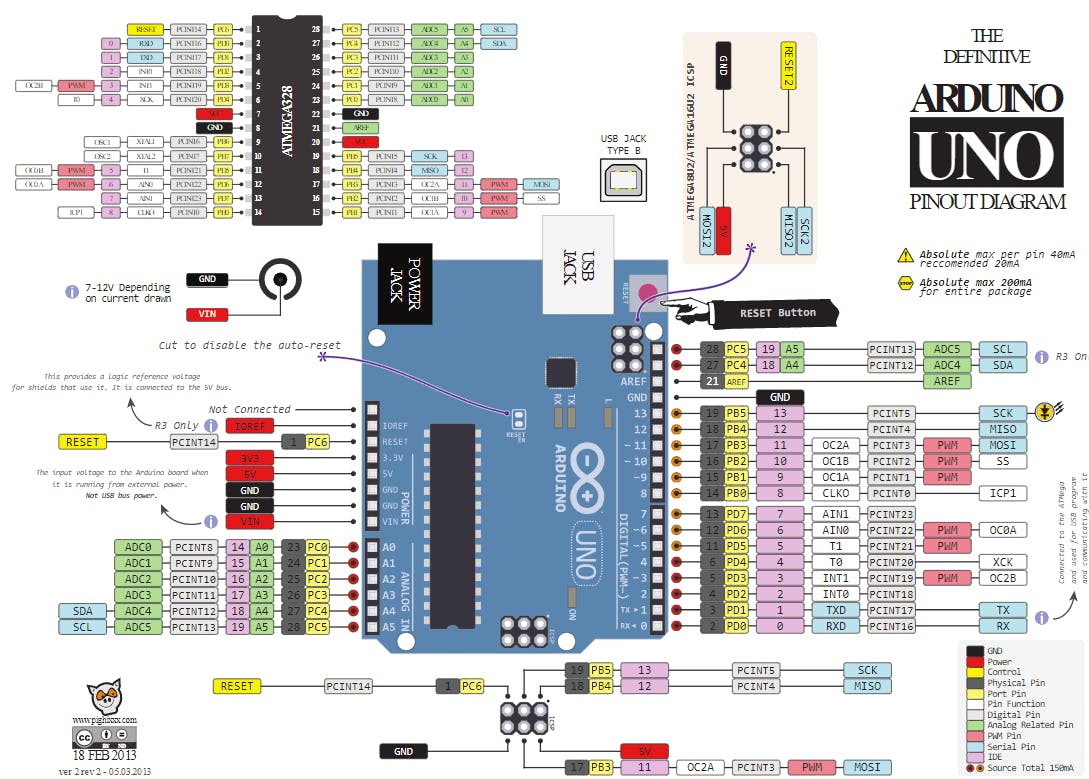
2. Connect the baseboard to the Arduino in the following manner. This is not needed all wires should be preconnected.
3. Connect the Arduino Uno to your computer and open the Arduino IDE. Open the ArduinoISP example by going to File>Examples>11.ArduinoISP>ArduinoISP
4. Select the Arduino Uno board and corresponding COM port by navigating to Tools>Board & Tools>Ports. Then program the Arduino Uno by clicking on the top left ICON containing the arrow
5. Change the board type to Arduino Leonardo in the Tools tab. In this same tab change the programmer to "Arduino as ISP" and click on Burn Bootloader if you have done that. This will take a little while.
Programming ATMEGA32U4
Make sure everything is disconnected and start following the steps below:
Connect the Crypsis to the PC if you have a Embedded version make sure you connect the clip to the correct port in this case PC side and connect the usb.
2. Open the Crypsis code base with the Arduino IDE "Crypsis\Crypsis Hardware\Baseboard\ATMEGA.ino"
3. Make sure you have installed the library it's included in the project folder. too install this .zip in short do the following: Sketch>Include Library>Add .Zip Library>Select SdFat-master.zip and you are done.
4. Program the Crypsis by selecting the correct board type: Arduino Leonardo and Correct COM port all below the Tools tab. Then press the arrow icon in the top left.
You have programmed the Arduino Leonardo chip. If you want to change the name to make it more covert follow the steps below.
Changing VID, PID and Product Name
1. Navigate to the boards.txt file "C:\Program Files (x86)\Arduino\hardware\arduino\avr\boards.txt"
2. Open boards.txt as admin and navigate to the following lines
3. Change the vid, pid and product name to what you want it to be. For example I changed them to hex 1337 and HID-Keyboard.
4. Save the file open Arduino IDE and program with the steps from above. Keep in mind after programming you won't see which COM port is the Crypsis.
5. Make sure you don't go to wild or change things to be not hexadecimal this might cause bricking and you will have to re-bootload the ATMEGA.